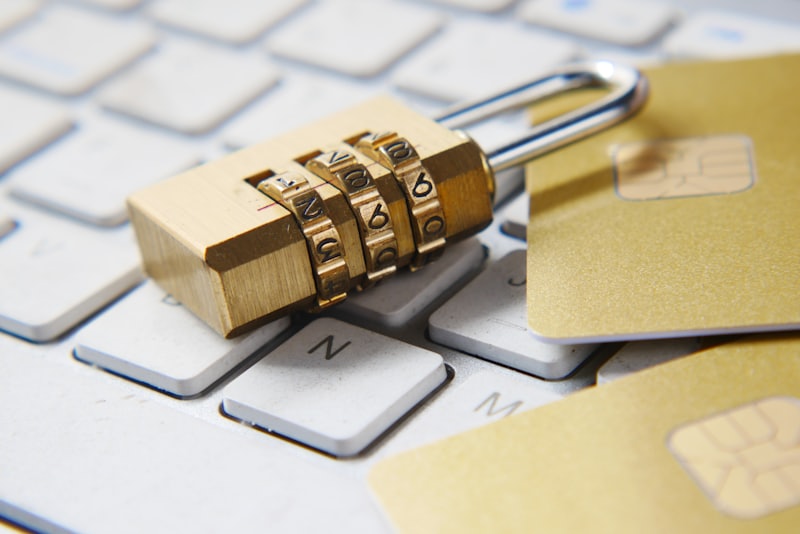
The most expensive casino loss isn't a bad bet — it's a hacked account. Every Filipino online casino player should treat account security as seriously as bankroll management because a single account compromise can wipe out your entire VOSLOT balance and ongoing winnings. The good news: modern security tools make account compromise highly preventable, but only if you actually use them. The bad news: most Filipino players use weak passwords, no two-factor authentication, and click suspicious links anyway.
This guide covers the complete VOSLOT account security framework — passwords, 2FA, device hygiene, phishing protection, and the recovery process when something goes wrong.
VOSLOT Security Features Available
| Feature | Availability | Recommended |
|---|---|---|
| Strong password requirements | Yes (required) | Required |
| Two-factor authentication (2FA) | Yes (optional) | Strongly recommended |
| Email verification | Yes (required) | Required |
| Phone verification | Yes (required for some features) | Required |
| Biometric login (mobile) | Yes | Recommended |
| Login alerts | Yes | Required |
| Session timeout | Yes (configurable) | Recommended |
| Device whitelist | Yes | Recommended |
| Withdrawal verification | Yes (multi-step) | Required |
2FA is the single most important security feature. Filipino players who skip 2FA are vulnerable to account takeover; players who enable 2FA are dramatically harder to compromise.
Password Security: The Foundation
Strong Password Requirements at VOSLOT
VOSLOT requires:
- Minimum 8 characters
- Mix of letters, numbers, special characters
- Cannot be common passwords (password, 123456, etc.)
- Cannot include your username or email
Filipino Player Password Mistakes
The most common Filipino casino account password failures:
Mistake 1: Reused Passwords
Using the same password at VOSLOT as at Facebook, Gmail, or other casinos. If any of those sites is breached, your VOSLOT account is compromised.
Mistake 2: Personal Information Passwords
Birthday, anniversary, child's name as password. Easily guessed by anyone who knows you.
Mistake 3: Slight Variations
"Password1!" vs "Password2!" — these don't increase security. Both fall to standard cracking tools.
The Right Password Approach
Use a password manager (1Password, LastPass, Bitwarden) to generate and store:
- Random 20+ character passwords
- Unique per site
- Automatically filled when logging in
Password manager subscription costs ~₱100-200/month. Worth it.
Two-Factor Authentication (2FA): The Critical Defense
How 2FA Works
After entering your password, VOSLOT prompts for a second verification:
- App-based 2FA (Google Authenticator, Authy): 6-digit code that changes every 30 seconds
- SMS-based 2FA: Code texted to your phone
- Email-based 2FA: Code sent to your registered email
Why App-Based 2FA Beats SMS
SMS-based 2FA is vulnerable to SIM swap attacks — where attackers convince mobile carriers to transfer your phone number to their device.
Filipino mobile carriers (Globe, Smart, DITO) have historically been vulnerable to SIM swap attacks. Filipino casino players using SMS 2FA are taking unnecessary risk.
Recommendation: Use Google Authenticator or Authy app-based 2FA. Set up on your phone, scan VOSLOT's QR code during setup, save backup codes.
Setting Up App-Based 2FA at VOSLOT
- Download Google Authenticator from Play Store or App Store
- Log in to VOSLOT
- Navigate to: Account → Security → Two-Factor Authentication
- Click "Enable App-Based 2FA"
- VOSLOT displays a QR code
- Open Google Authenticator, tap "+", "Scan QR code", scan VOSLOT's QR
- Authenticator generates a 6-digit code
- Enter this code on VOSLOT to confirm setup
- Save backup codes (VOSLOT provides these — store securely)
Total setup time: 5 minutes. Lifetime benefit: significantly harder account compromise.
Biometric Login on Mobile
VOSLOT's mobile app supports:
- Touch ID (older iPhone, iPad)
- Face ID (modern iPhone, iPad Pro)
- Fingerprint authentication (Android)
- Face authentication (newer Android)
Enable biometric login for convenience without sacrificing security (assuming your phone is secured with biometric authentication for its lock screen).
Login Alerts
VOSLOT can send email alerts for:
- New device logins
- Logins from new locations (IP addresses)
- Failed login attempts (multiple)
- Password change attempts
- Withdrawal requests
Enable all login alerts. Even if a hacker bypasses 2FA somehow, alerts give you time to respond.
Email Account Security
Your VOSLOT account is only as secure as your email account. If your email is compromised:
- Hackers can reset your VOSLOT password
- Hackers receive 2FA backup codes
- Hackers control all account recovery
Email security checklist:
- Use a strong, unique password (different from VOSLOT)
- Enable 2FA on Gmail / Yahoo / Outlook
- Don't use mobile carrier email (impossible to secure adequately)
- Don't share email passwords with anyone (family included)
Recognizing Phishing Attacks
Filipino casino players receive phishing attempts constantly. Common patterns:
SMS Phishing
"Your VOSLOT account has been suspended. Click here to reactivate: http://voslot.suspicious-link.ph"
VOSLOT never sends account links via SMS. These are always phishing.
Email Phishing
"Your VOSLOT account has been credited with ₱10,000 bonus. Click here to claim."
VOSLOT bonuses appear in your account automatically. No external clicks required.
Fake VOSLOT Apps
Counterfeit VOSLOT apps on third-party app stores. Always download VOSLOT from official channels:
- Official website (voslot.com / voslot.app)
- Google Play Store (verified developer)
- Apple App Store (verified developer)
Social Engineering
"Hi, I'm from VOSLOT customer support. We need to verify your account details."
VOSLOT customer support will never ask for your password or 2FA code. If asked, the request is fraudulent.
What to Do If You Suspect Account Compromise
Step 1: Change Password Immediately
If you can still log in:
- Change password to a new, unique strong password
- Log out of all sessions (Account → Security → Log Out All Devices)
Step 2: Contact VOSLOT Support
Use live chat or hotline. Report:
- Suspected compromise
- Recent suspicious activity
- Request account freeze if necessary
Step 3: Review Recent Activity
Check:
- Recent logins (location, device)
- Recent deposits
- Recent withdrawals
- Recent bets
If anything looks unauthorized, document with screenshots.
Step 4: Verify Email Security
If you suspect email compromise:
- Change email password
- Enable 2FA on email if not already
- Review email forwarding rules (hackers often set up forwarding to steal future emails)
Step 5: Initiate Account Recovery (If Locked Out)
If you can't log in:
- Use VOSLOT's account recovery process
- Provide identity verification (KYC documents)
- Wait for VOSLOT support to verify and restore access
Device Security
Your account is only as secure as the device you use:
Mobile Device Security
- Auto-lock: Screen locks after 1 minute idle
- Strong PIN: 6+ digits, not 0000 or 1234
- OS updates: Install promptly
- App permissions: Review and limit
- Public WiFi: Don't access VOSLOT on public WiFi without VPN (and even with VPN, be cautious)
Desktop Security
- Antivirus: Install and keep updated (Windows Defender works)
- Browser updates: Keep current
- Suspicious downloads: Don't run unknown executables
- Public computers: Never log in to VOSLOT on public/shared computers
Withdrawal Verification
VOSLOT requires additional verification for withdrawals:
- 2FA code at withdrawal request
- Email confirmation of withdrawal request
- Possible phone verification for large amounts
- KYC documents for withdrawals exceeding tier limits
Don't skip these verifications. They protect you.
Public WiFi and Casino Play
Public WiFi networks (malls, coffee shops, airports) are dangerous:
- Network traffic visible to anyone on same network
- Man-in-the-middle attacks possible
- Fake WiFi access points
Use mobile data for casino sessions, not public WiFi. The data cost is minimal; the security benefit is significant.
If you must use public WiFi, use a reputable VPN. But VPN choice matters — free VPNs often sell user data, defeating the purpose.
Account Inactivity and Self-Lockout
VOSLOT may automatically:
- Log you out after 30+ minutes inactivity
- Require re-authentication for sensitive actions after long sessions
- Flag accounts with extended inactivity (90+ days) for re-verification
These are protective, not annoying. Don't disable them.
Family Members and Account Sharing
Some Filipino players share accounts with spouses or children. This is against VOSLOT's terms of service and creates security risks:
- Account ownership becomes unclear
- Shared passwords are inherently insecure
- Disputes between family members complicate compliance
Each adult Filipino in your household should have their own VOSLOT account, fully verified, with separate funding.
Monthly Security Audit
Once monthly, Filipino VOSLOT players should:
- Review recent login history
- Check for unauthorized devices in account settings
- Verify 2FA is still active
- Review email forwarding rules
- Update password if it's been 90+ days
This 10-minute monthly checkup prevents most security incidents.
The Bottom Line
Account security at VOSLOT is the unsung infrastructure of safe casino play. The combination of:
- Strong unique password (via password manager)
- App-based 2FA (Google Authenticator or Authy)
- Email account security
- Login alert notifications
- Biometric login on mobile
- Vigilance against phishing
...creates a security framework that makes account compromise highly unlikely. Filipino players who implement these tools play with peace of mind; players who skip them are betting their entire balance on the hope they don't get targeted.
5 minutes of 2FA setup. Lifetime of bankroll protection. That's the deal.
Strong password. App-based 2FA. Login alerts on. Welcome to secure VOSLOT play in 2026.